How it works
From guest list to booked meetings.
You set up the event, invite your guests and run the day from one console. Your attendees open a branded app from a link, find the right people and meet them.
- Self-serve setup
- Personal access per guest
- No app store
- Free test event
For attendees
How attendees get in. Only your guests, in seconds.
- 01
You invite them
By an invitation email you write yourself, or with your event's QR code on a badge, a slide or at the entrance.
- 02
They sign up with their ticket email
That is how Conferras checks access: only addresses on your guest list get in.
- 03
They fill in a profile
Your sign-up questions, a photo and a LinkedIn link, then the app goes on the home screen in two taps.
- 04
They meet the right people
Matches, chat and 1:1 meetings, next to the agenda and your announcements.
Before the event
Set it up yourself. Seven steps, no engineer.
The app walks you through the same steps with a launch checklist, so nothing is missing when you go live.
01Create your event
Sign up and create the event. It starts as a free test event for up to 10 accounts, so your team can try everything first.
02Make it yours
Add your logo, cover image and brand colour. Your logo becomes the app icon on your attendees' home screens.
03Add the programme
Paste your agenda from Excel or Google Sheets, add speakers, stages and sponsors.
04Choose the sign-up questions
Role, company, interests, what people are looking for: the questions that make matchmaking work.
05Build the guest list
Import an Excel or CSV file, connect Eventbrite, or add guests one by one.
06Go live
Pick your event address (yourevent.conferras.com) and the plan that fits your number of attendees.
07Send the invitations
Write the invitation email yourself and send it. Schedule reminders for everyone who has not joined yet.
What your attendees see
Their event, in their pocket.
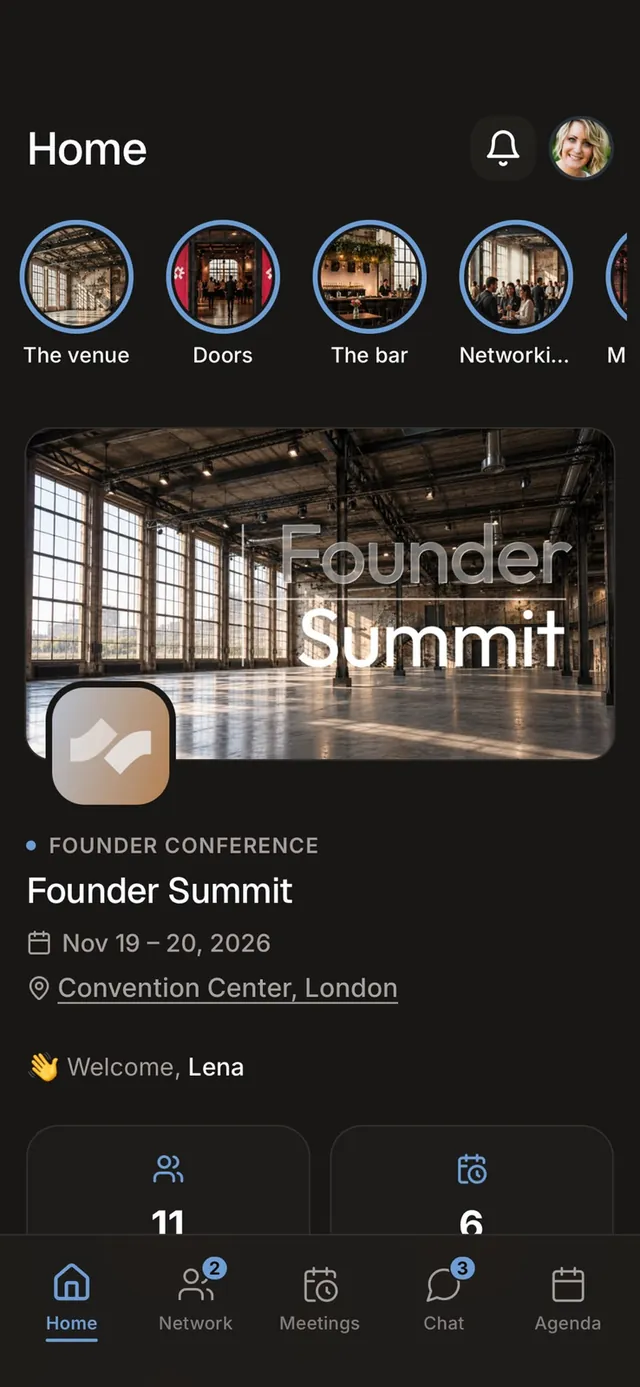
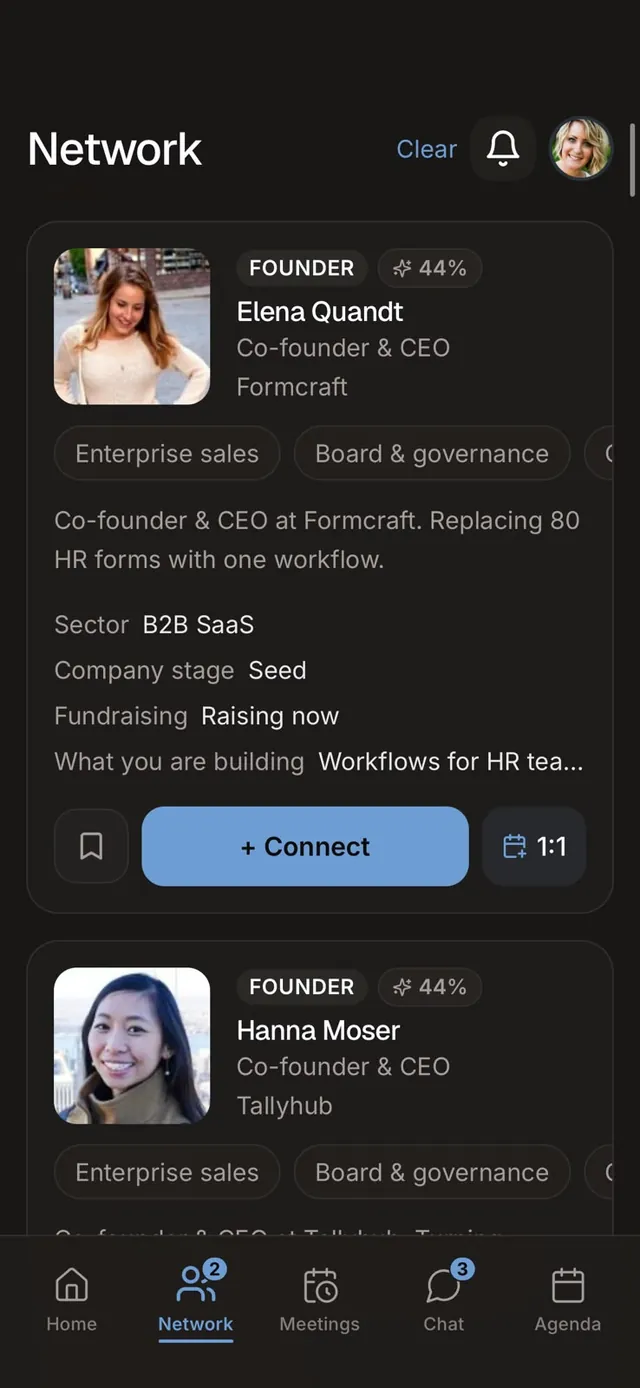
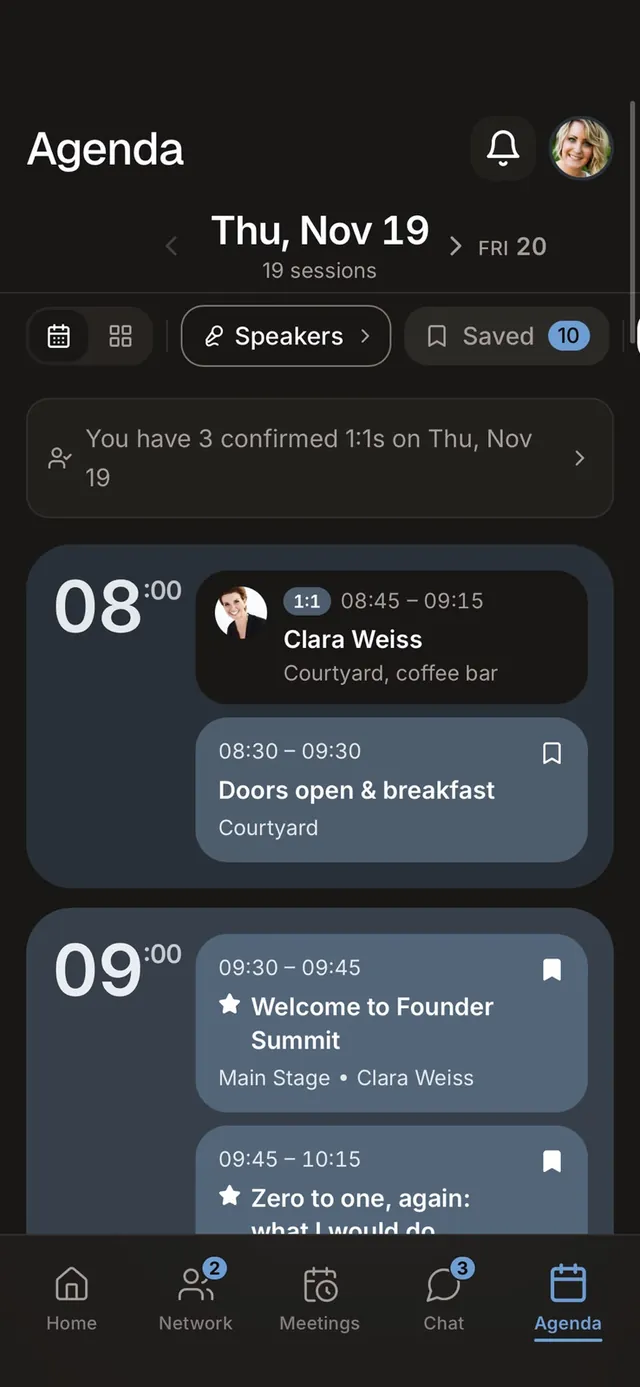
Your event, your brand
On the event day
Run the room. From one screen.
01Open the Today panel
Who is in, what is next and your door QR code, on one screen that refreshes itself.
02Let walk-ins in
Type the email of someone who is not on the list, and they scan their personal QR code at the door.
03Keep everyone informed
Send or schedule announcements with a push, for example when a session is about to start or a room changes.
04Watch the network form
Connections, messages and meetings grow in real time while attendees use the app.
After the event
Show what it brought. Then do it again.
01Read the results
Registrations, networking results, the most-bookmarked sessions and story views.
02Report to sponsors
Banner views and clicks and story views show partners what they got.
03Export your data
Download the guest data as a CSV for your own report and CRM.
04Run it again
Copy the event for next year with its rooms, speakers, questions, sponsors and branding.
Before you start
What you need. Probably already on your desk.
Your guest list
The email addresses of your guests, from a spreadsheet, your ticketing tool or Eventbrite.
Your brand
Logo, a cover image and your brand colour. The logo becomes the app icon.
Your programme
Sessions, rooms and speakers. Paste them straight from Excel or Google Sheets.
Questions about the setup.
Set up your event yourself.
Start with a free test event for up to 10 accounts. No credit card. Prefer help? Talk to us about our setup service.